As a business owner or IT manager, protecting your digital assets has never been more critical. Between remote work, cloud applications, and evolving cyber threats, your employees’ login process is one of your biggest vulnerabilities.
That’s why Single Sign-On (SSO) and Multi-Factor Authentication (MFA) have become essential tools for modern cybersecurity. But many business owners ask: SSO vs MFA—what’s the difference? Do I need one or both?
At Crown Computers, a San Diego-based Managed IT Service provider, we help businesses simplify access while strengthening security. In this guide, we’ll explain what SSO stands for, how it compares to MFA, and why implementing MFA and SSO together offers your business the strongest defense against unauthorized access.
What SSO Stands For and How It Works
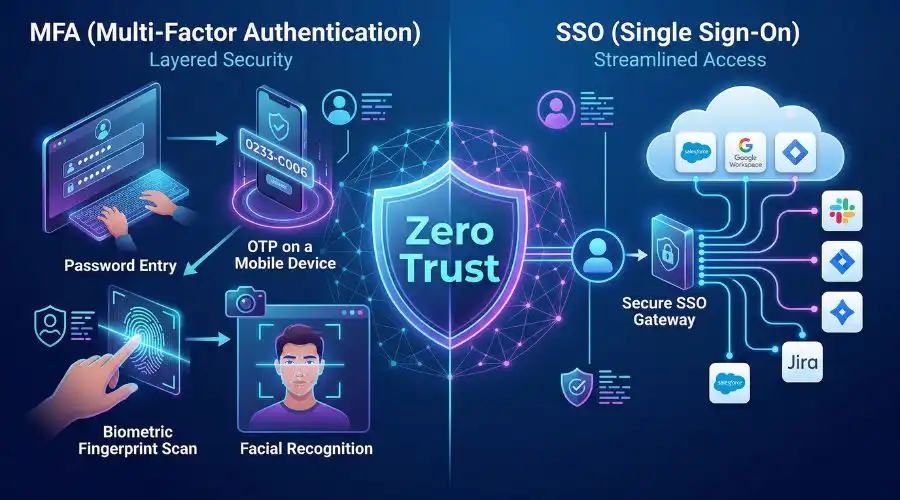
SSO stands for Single Sign-On, a secure authentication method that lets users access multiple systems or applications with just one set of login credentials.
Instead of juggling different usernames and passwords for email, file sharing, and other tools, users can log in once and access everything they need—streamlining workflow and reducing password fatigue.
Common SSO providers include:
- Microsoft Azure AD
- Google Workspace
- Okta
- Ping Identity
When a user logs in through an SSO portal, that platform verifies their identity and grants access to all connected applications. This not only makes life easier for your team but also allows IT departments to centrally manage and monitor access.
Example: When you log in to your company’s Microsoft 365 account, you might automatically gain access to Teams, Outlook, and SharePoint—thanks to SSO integration.
👉 Need help implementing secure SSO for your business? Request a free 60-minute consultation with Crown Computers or call 858-483-8770 to speak with our San Diego IT specialists.
What Is Multi-Factor Authentication (MFA)?
Multi-Factor Authentication (MFA) is a security method that requires users to verify their identity through two or more authentication factors before accessing an account or system.
These factors fall into three main categories:
- Something you know – password or PIN
- Something you have – smartphone, security token, or smart card
- Something you are – biometric data like a fingerprint or face scan
For example, after entering a password, a user might receive a code on their phone or need to approve a push notification to verify their identity.
Even if a hacker steals your password, MFA blocks access by requiring additional verification.
MFA is one of the most effective defenses against phishing, credential theft, and ransomware attacks—a must-have for any organization serious about cybersecurity.
SSO vs MFA: Understanding the Difference
It’s easy to confuse SSO vs MFA since both are part of the login process—but they serve very different purposes.
| Feature | SSO (Single Sign-On) | MFA (Multi-Factor Authentication) |
| Purpose | Simplify user access across multiple apps | Strengthen identity verification |
| User Experience | One login for all accounts | Additional verification steps |
| Primary Benefit | Convenience and centralized control | Security and protection against unauthorized access |
| Risk | Single point of failure if password is compromised | Slightly more friction for users |
| Best Use | Streamlined access management | Verifying user identity |
In simple terms:
- SSO reduces password overload and improves efficiency.
- MFA protects accounts even if passwords are stolen.
Together, they deliver both convenience and security—a perfect balance for growing businesses.
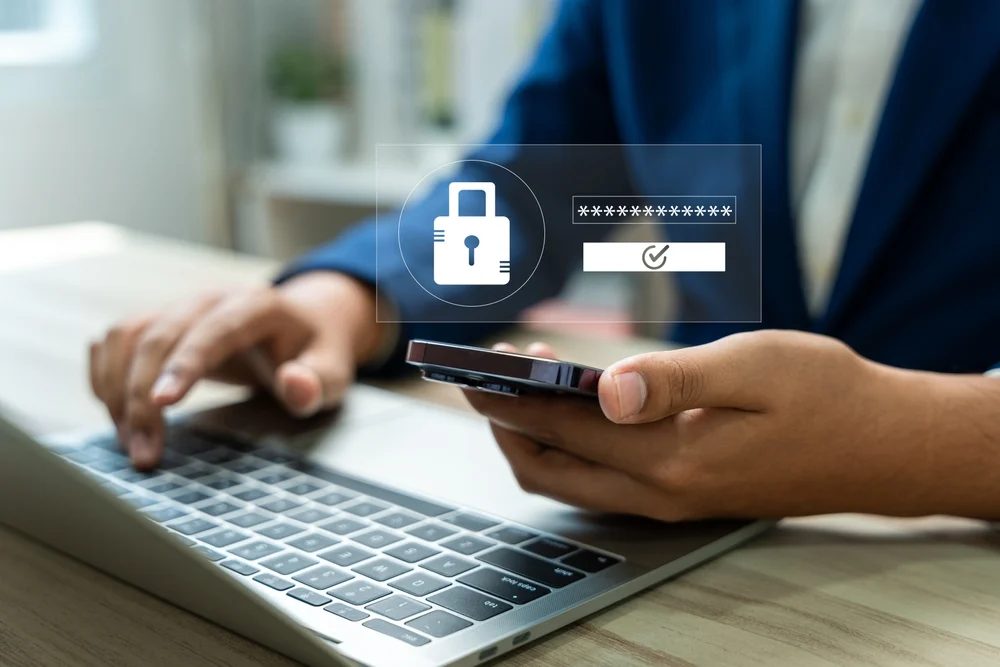
MFA and SSO: Better Together
While many businesses ask whether to choose MFA or SSO, the truth is—it’s not a choice. The most secure organizations use both.
When integrated, MFA and SSO work hand-in-hand:
- SSO gives employees easy, single-login access to all tools.
- MFA ensures that access is verified and secure, every time.
This combination reduces human error, protects sensitive data, and maintains compliance with frameworks like HIPAA, CMMC, and NIST 800-171.
At Crown Computers, we’ve implemented SSO + MFA solutions for dozens of San Diego businesses. Whether your team uses Microsoft 365, Google Workspace, or custom applications, we can help you deploy these layers seamlessly—with minimal disruption.
💬 Contact us today or email sales@crowncomputers.com to schedule a free consultation and learn how SSO and MFA can fortify your IT environment.
Benefits of Implementing SSO and MFA
Adopting multi factor authentication and single sign-on can transform your business operations. Here’s why:
1. Stronger Security
Adding MFA dramatically lowers the risk of unauthorized access, even if credentials are stolen. Combined with SSO, it creates a unified, secure authentication process that minimizes vulnerabilities.
2. Better User Experience
Employees love the simplicity of one login. No more password resets or multiple credentials. Productivity rises as login friction drops.
3. Simplified IT Management
Centralized control lets your IT team monitor logins, enforce password policies, and revoke access instantly if a device is lost or a user leaves the company.
4. Compliance and Risk Reduction
MFA and SSO help meet cybersecurity standards required by compliance frameworks such as:
- CMMC (Cybersecurity Maturity Model Certification)
- NIST 800-171
- HIPAA
- GDPR
5. Reduced Costs and Downtime
Fewer password-related support tickets mean reduced helpdesk workload and cost savings. A secure and efficient login process also means fewer disruptions to your business.
Tips for Implementing SSO MFA Successfully
If you’re planning to integrate SSO MFA across your organization, follow these best practices:
- Select Trusted Providers: Use proven platforms like Azure AD, Okta, or Google Identity to ensure reliability.
- Enable MFA Everywhere: Apply multi-factor authentication to all critical apps, not just admin accounts.
- Use Secure Methods: Prefer push notifications or biometric verification over SMS codes, which can be intercepted.
- Educate Employees: Train your staff on phishing prevention and how to use MFA tools properly.
- Monitor Access Regularly: Review authentication logs and update permissions to keep your system secure.
Not sure where to start? Schedule your free 60-minute consultation with Crown Computers and our cybersecurity experts will assess your current system and recommend a tailored setup.
Why San Diego Businesses Trust Crown Computers
Crown Computers isn’t just another IT provider—we’re your dedicated cybersecurity partner. Since 1996, we’ve helped San Diego businesses implement robust Managed IT Services, including:
- Cloud infrastructure management
- Network monitoring
- Endpoint protection
- Compliance consulting
- Backup and disaster recovery
Our goal is simple: keep your business running without disruption while protecting your data from modern cyber threats.
📞 Call us today at 858-483-8770, or contact us online to learn how we can make your IT systems secure, reliable, and efficient.
FAQ: SSO and MFA Explained
What does SSO stand for?
SSO stands for Single Sign-On, a login method that lets users access multiple applications with one set of credentials.
Is SSO the same as MFA?
No. SSO simplifies access, while MFA secures access. SSO makes it easier for users to log in, and MFA ensures only verified users can gain entry.
Can I use MFA and SSO together?
Absolutely! Combining them is best practice. MFA adds a layer of security to your SSO login system, giving you both convenience and protection.
What’s the best way to implement MFA and SSO for my business?
Work with a trusted IT partner like Crown Computers. We design, deploy, and manage authentication systems that align with your workflow and compliance needs.
Take Control of Your Cybersecurity Today
Passwords alone are no longer enough. In today’s threat landscape, combining SSO and MFA is the smartest way to protect your business data while keeping employees productive.
Let Crown Computers help you strengthen your defenses with secure, easy-to-use authentication solutions.
📞 Call 858-483-8770
📧 Email sales@crowncomputers.com
🌐 Schedule a free consultation today
Your peace of mind starts with a single login—and a second layer of protection.